
The detail panel on the right
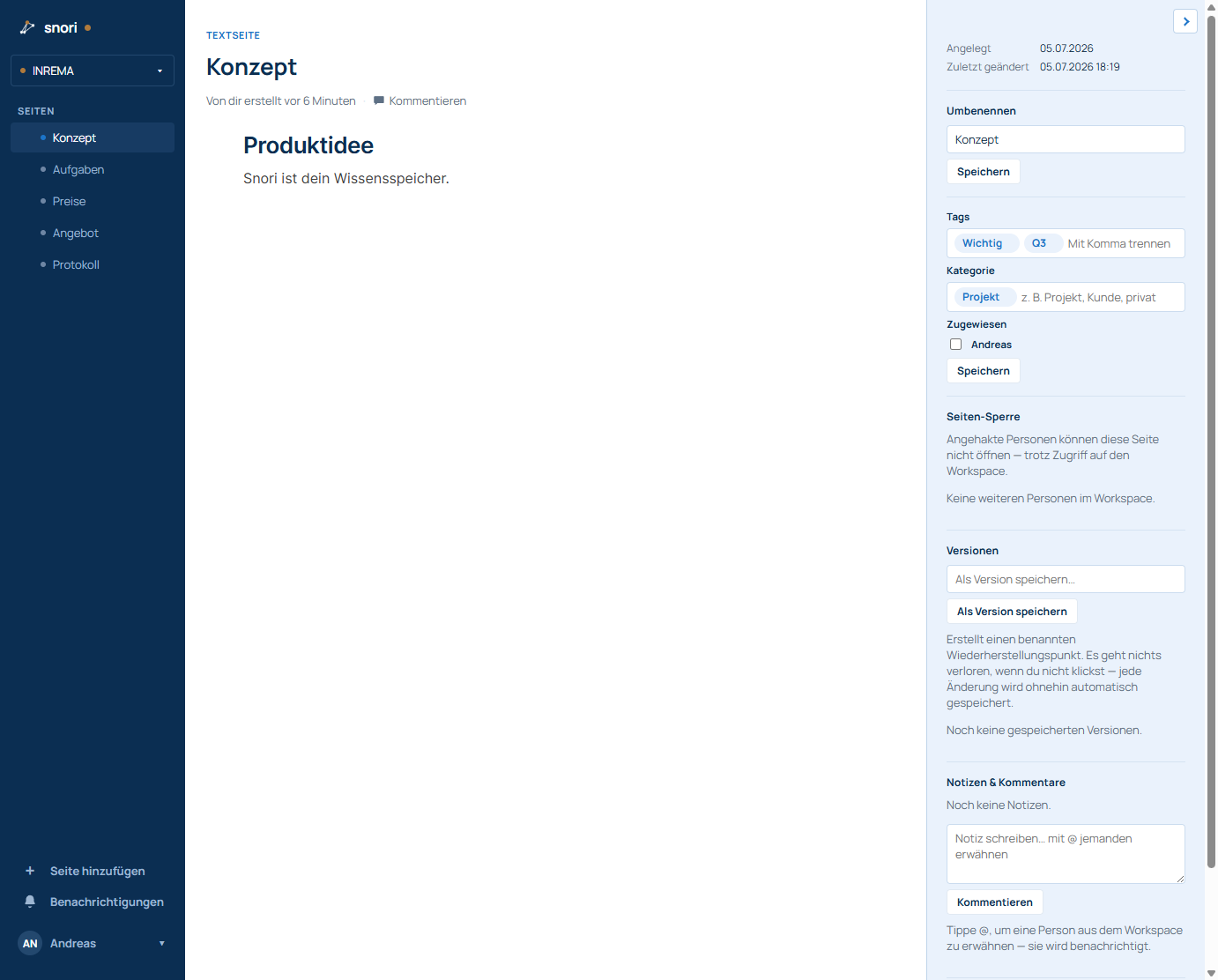
Every page has the light-blue detail panel on the right (toggle it with the arrow at the top right). It contains:
- Created / Last edited – date and time in your time zone.
- Rename – change the page title.
- Tags & categories – type a word and press comma/Enter to make a chip. Remove via the × on the chip.
- Assigned – people responsible for this page.
- Page access – (owner only) set per person what they may do with exactly this page: Read & write, Read only or Hidden (the page is invisible to that person). “Default” means the page follows the member's overall role from the workspace settings. This choice also applies to that person's AI connections and API keys (see the “Team & permissions” chapter).
- Versions – “Save as version” creates a named restore point; nothing is lost since everything is autosaved anyway. View earlier versions (text pages) and restore.
- Notes & comments – type “@” to mention someone; they get notified.
Missing something or unclear? Write to helpdesk@snori.de.